Pages

11.30.2009

Becoming a Video Game Expert

Video Game Expert

If you find yourself playing video games day-in and day-out, you might be a prime candidate for establishing yourself as a gaming expert. All you need is a good knowledge of a wide range of games and gaming systems, and of course, a lot of patience. The rewards are phenomenal and in the end, you'll be a better person for it.


So what is an expert anyway? Just what is it that qualifies anyone to be an expert on anything? Since there aren't any colleges that offer degrees in this genre, we can qualify any gamer as an expert who has the qualities described above. So if you have the knowledge or ability to play a game skillfully - and you enjoy solving problems, you could probably claim the rights to an expert status.

Just be sure that you ensure your own growth in the gaming industry. Part of being an expert is admitting that there's always more to learn and in the gaming industry, this should never be a hard thing to pull off. By exposing yourself to new games and new game systems, you can turn every opportunity to play with one into an opportunity to learn more than what you already know. In doing so, you'll learn tons of new strategies and widen your resourcefulness as a point of help to others.

You could also make multiple efforts to collaborate with others involved with video games. Get off the game and get out into the public so that you can network and discuss your discoveries with others. Networking gives you the wonderful opportunities to share or swap secrets, teach others, and learn a little something new at the same time. And the relationships that you build as a result are simply invaluable. There's probably no other way you could gain access to little known gaming secrets than to network among the best gamers around.

If you're completely dedicated toward becoming a gaming expert, consider taking some classes in game programming. Seek out and apprenticeship and find training programs that are offered in both your local area and the gaming industry as a whole. This is an excellent way to learn everything anyone would ever want to know about gaming, and its a good entrance into the gaming industry if you aren't too crazy about making a commitment to a full time gaming career.

You could also subscribe to gaming magazines, participate in online discussion boards, or sign up for book clubs that focus on gaming material.

Take note that your status as a gaming expert may not always be appreciated. Strong criticisms - whether right or wrong - come with the glory of being perceived as the "answer to everything." As an example, you may be rejected for an opportunity that you feel you're perfect for, or you may experience the spew of a less-than-experienced heckler. The first rule of thumb is to not take rejection or spew personally. People may be jealous of your position, or they may want to test you just to see how much you really do (or don't) know. The reasons behind these reactions to your assistance don't really matter as long as you're confident about the quality and value behind your help. A true expert looks past these things and they constantly look for ways to improve themselves.

11.29.2009

Playstation 3 - Assassin’s Creed 2

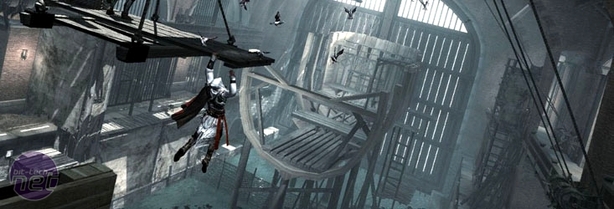
Assassin’s Creed 2 was always going to be a difficult game to develop. How do you follow a first game that was massively hyped yet suffered from a vicious (but deserved) backlash for an incredibly repetitive structure and pseudo-scientific but oddly schizophrenic plot? It’s a testament to Assassin’s Creed 2’s strengths that it manages to be both so new and yet so familiar.


Assasin_creed_2

Critical improvements have been made over the first game both in terms of the way the story is told and the overall structure of the player experience. Yet it retains all the iconography and appeal that underpinned the original Assassin’s Creed and made it such an interesting game despite its flaws.


The most immediately obvious repair work has been done to the plot and the way story is presented. Assassin’s Creed 2 doesn’t bother with the slow trickle of information and backstory that players were forced to uncover in the first game. Instead, it jumps you straight into the midst of things and keeps the plot moving forwards at a suitably quick pace, relaying only the essential Cliff Notes from the first game and discarding the chaff.


assassins-creed-2

Assassin’s Creed 2 picks up exactly where the first game left off, with 21st century everyman Desmond sitting in his cell at the Abstergo Corporation after another trying day of exploring his genetic memory under threat of death. Suffering from a strange bleeding effect from his prolonged exposure to the memories of Altair, Desmond has inherited the 'Eagle Vision' ability and is staring at secret messages that are scrawled all over his walls.


Suddenly one of his more friendly captors, Lucy, bursts in and starts barking orders as she organises Desmond’s escape. Turns out that she’s one of the good guys (or, less bad anyway) – one of the Assassin order, mortal enemies of the shadowy Templars who are behind Abstergo’s pharmaceutical front. The Templars are planning to take over the world using mysterious relics that Desmond’s genetic memories have pointed them towards, she explains while pushing you out the door.


Soon enough you arrive at a new and much friendlier looking Assassin safehouse and are filled in with the bare essentials of the plot and encouraged to join up with the Assassins and, as Desmond, oppose the Templars in the here and now. Mercifully the game doesn’t bother with any enforced reluctance on Desmonds behalf or any pointless conversations – you just agree on the spot. It’s hard to describe how happy we were to see Assassin’s Creed 2 actually get to the point so quickly, which is something the first game never did.


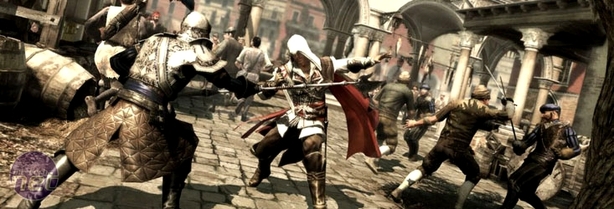
Obviously though, you can’t fight the Templars as you are. You’ll need to gather the skills and talents of a true assassin, so you hop into the Assassin order’s own version of the time-travelling Animus device and set about absorbing all the knowledge of the order’s greatest assassin and renaissance man – Ezio Auditore.


via : bit-tech

11.28.2009

(GPS) based navigator for your car

If you often travel to new places for work or pleasure, have trouble reading maps, or simply hate to ask for directions, you might consider a global positioning system (GPS) based navigator for your car. Once you put in a destination, the system will plot a route, give spoken turn-by-turn directions, and display the route as you go. Most let you choose your routing preferences, including the shortest distance, the fastest time, or even routes with no toll roads. Some portable units even offer special routing options for walkers or bicyclists to avoid highways and not limit pedestrians due to one-way traffic.


GPS

You can also quickly find a variety of points of interest, including gas stations, ATMs, hotels, tourist attractions, and more. Typically, you can search for a specific point of interest, search for ones that are near your current location, or look up ones in a different area. You can even choose a nearby restaurant by the type of food you wish to eat. Once you've located what you want, the system can calculate a route to get you there.

In today's competitive market, GPS prices are coming down and budget-priced units include features previously available only on more expensive models, such as the ability to speak street names, speed warnings, a music player, or a photo viewer. Higher-priced models can include such features as a wireless FM transmitter and Bluetooth-phone compatibility, which allows you to access phone numbers from your cell phone or call a number displayed on your GPS unit.

Bluetooth connectivity can be handy for hands-free phone operation, or even making a reservation at a restaurant while en route based on the GPS points of interest information. Premium services, such as traffic and weather reports, are becoming widely available, although they can require a subscription. An alternative that is becoming more common is free traffic information supported by small, onscreen advertising.

via : tcmagazine

How to transfer videos and music from ipod to mac

important for us to import the files into the mac, such as importing video and song to keep it well. because we will make a backup of all files on the ipod to the mac. to do that, things we have to do is as follows.


ipod to mac


Download This File

Step 1,
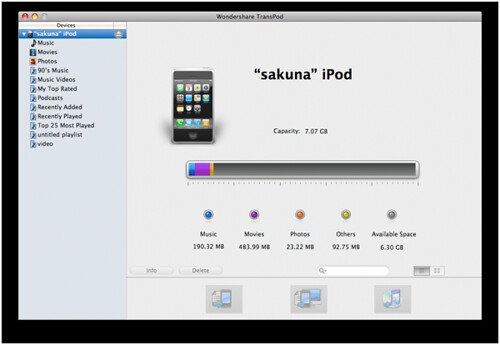
Launch this ipod to mac copy and connect your iPod with Mac. It can automatically detect your device and display related information such as type, capacity, version, etc.

Step 2,
Tick the video and audio files you would like to transfer from iPod to Mac. Here you could manage iPod content by deleting, creating or editing a playlist.

Step 3,
Click "iPod to Mac" image button to start to transfer from iPod to Mac.

Note:
If you want to transfer anything from Mac to iPod without iTunes, then click "Mac to iPod" image button to choose the required files from your Mac. You could also drag the required files from your Mac to iPod transfer for Mac directly.

via : tcmagazine

11.26.2009

Bluetooth Applications (Featured)

With Bluetooth being very popular with wireless, it's no wonder there are many applications available for the technology. Below, you'll find the applications
for Bluetooth.


bluetooth

1. Wireless networking between laptops and desktop computers, or desktops that are in a confined space and little bandwidth is needed.

2. Peripherals such as mice, keyboards, and printers.

3. Cell phones with Bluetooth technology have been sold in large numbers, as they are able to connect to computers, PDAs (Personal Data Assistant), and various other devices. The standard also includes the support for more powerful and longer range devices.

4. The transfer of files, images and MP3, between mobile phones.

5. Certain MP3 players and digital cameras to transfer files to and from computers.

6. Bluetooth technology headsets for smart phones and cell phones.

7. Data logging equipment that transmits data to a computer via Bluetooth technology.

8. Sony Playstation 3 and Nintendo Revolution will both use Bluetooth technology for their wireless controllers.

For Bluetooth, there are literally hundreds of different applications and devices available for you to use or purchase. As you may already know, Bluetooth is the most popular wireless technology in the world. It's very reliable, very dependable,
and very hard to crack into.

There are many other applications for Bluetooth in development now, many of which plan to take the wireless age to the next level. Video game systems are using Bluetooth technology as well, for their wireless controllers. This is great news for gaming fans, as Bluetooth offers the best in wireless data transmission.

If your curious about applications for Bluetooth that are still in development, you can search on the internet. You can find all sorts of information, especially when it comes to Bluetooth. As the future arrives, you can expect Bluetooth to bring
bigger and better things.


11.25.2009

10 Benefits Of Bluetooth

Below, are 10 benefits and reasons to use Bluetooth
technology.

1. Wireless
As you probably already know, there are many benefits and advantages to using wireless devices. Along with improving safety as a result of eliminating wires you don't need, wireless also offers you plenty of other advantages. When traveling with your laptop or other wireless devices, you'll no longer have to worry about bringing connection cables.


bluetooth logo

2. Bluetooth is actually inexpensive
The technology of Bluetooth is cheap for companies to implement, which results in lower costs for the company. These savings are then passed from the company on to you.

3. Bluetooth is automatic
Bluetooth doesn't have you set up a connection or push any buttons. When two or more devices enter a range of up to 30 feet of each other, they will automatically begin to communicate without you having to do anything.

4. Standardized protocol
Bluetooth is standardized wireless, meaning that a high level of compatibility among devices is guaranteed. Bluetooth will connect devices to each other, even if they aren't the same model.

5. Low interference
Bluetooth devices almost always avoid interference from other wireless devices. Bluetooth uses a technique known as frequency hopping, and also low power wireless signals.

6. Low energy consumption
As a result of Bluetooth using low power signals, the technology requires very little energy and will use less battery or electrical power as a result. This is an excellent benefit for mobile devices, as Bluetooth won't drain the battery.

7. Sharing voice and data
The standard for Bluetooth will allow compatible devices to share data and voice communications. This is great for mobile phones and headsets, as Bluetooth simplifies driving and talking on your cell phone.

8. Instant PAN (Personal Area Network)
You can connect up to seven Bluetooth devices to each other within a range of up to 30 feet, forming a piconet or PAN. For a single room, you can also set up multiple piconets.

9. Upgradeable
Upgradeable is the standard for Bluetooth. There are newer versions of Bluetooth in the works, which offer many new advantages and backward compatible with older versions.

10. The technology stays
Bluetooth technology is a world wide, universal wireless standard. With it being as popular as it is, you can count on it being around for years to come. As more and more devices start to use Bluetooth technology, more manufacturers will be eager to make their products compatible. A chain reaction will occur, making Bluetooth the standard for cutting edge wireless.


11.24.2009

Apollo's Rocket Scientists

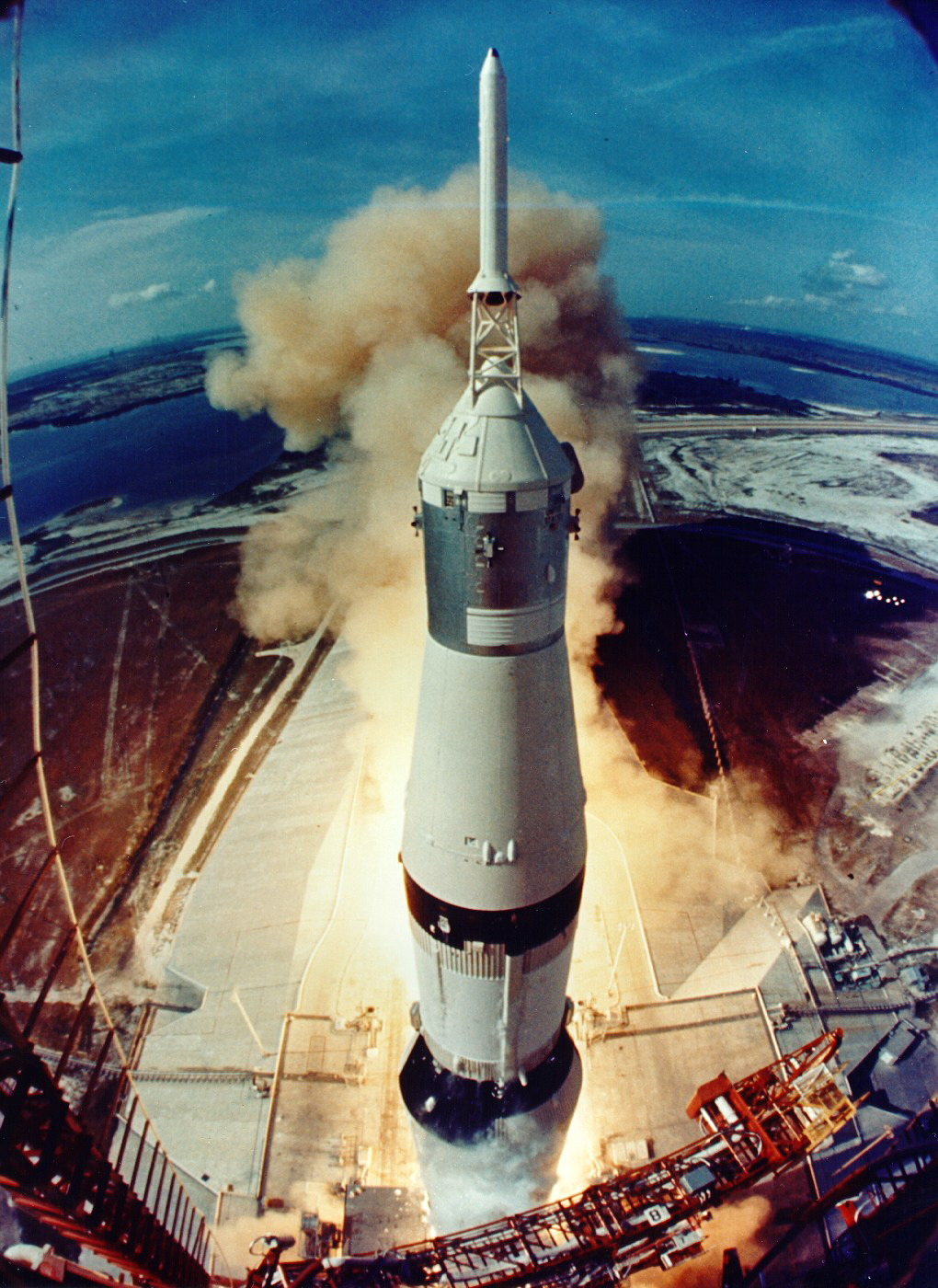
On May 25, 1961, six weeks after the Soviet Union took a commanding lead in the space race by sending Yuri Gagarin into Earth orbit, John F. Kennedy went before Congress in a nationally televised address and asked his country to "commit itself to achieving the goal, before this decade is out, of landing a man on the moon." Three months later, the fledgling National Aeronautics and Space Agency issued its first major contract under the new lunar program. It went to the MIT Instrumentation Lab, which was charged with designing a navigation and guidance system for all the Apollo spacecraft.Launh_Apollo


The decision was a contentious one. Ordinarily, companies angling for the contract would have had the chance to submit competing proposals. But as a nonprofit, the Instrumentation Lab was prohibited from bidding against industrial rivals. By hiring MIT to build the navigation system, NASA was declaring that no one else was in its league. "I had a lot of justifying to do," recalls Bob Chilton '48, SM '49, who headed the Flight Dynamics Branch at NASA's Space Task Group. "All the industrial people fussed and fussed and fussed."

MIT 's champions at NASA had a strong case. The Instrumentation Lab's director, Charles Stark Draper '26, SM '28, ScD '38, was a pioneer in the use of gyroscopes and accelerometers to navigate aircraft. In 1953, one of Draper's systems had piloted an airplane that took off from Hanscom Field, outside Boston, to within nine miles of an airstrip in Los Angeles.

In the mid-1950s, the lab had won contracts from the U.S. military for work on the navigation systems of several ballistic missiles, including the Polaris, which had to find its way to a fixed target from a submarine at an arbitrary location. To avoid jamming by enemy radios, the missile's guidance system had to be completely self-contained--no external direction possible. The system performed brilliantly when it was tested in 1960, enhancing the lab's reputation in Washington.

Also working in the Instrumentation Lab's favor was a project it had initiated soon after the launch of Sputnik in 1957, using the modest funding for speculative research included in the military contracts. Several of the lab's most brilliant thinkers began designing an unmanned mission to Mars, calculating trajectories for interplanetary travel and drawing up specifications for a general-purpose navigation computer. In four years, the Mars project had grown to include researchers at NASA's Langley Research Center, and much of the work could easily be adapted to a lunar mission. The lab's hold on the Apollo contract would remain secure because--as Aaron Cohen, NASA's manager of the Apollo command and service module, recalls--"we didn't think anyone else could do the job."

The contract with NASA called for the lab to develop a navigation, control, and guidance system that would be carried by both the Apollo command module and the lunar lander. (The command module entered lunar orbit and returned the astronauts to Earth; the lander detached from the orbiting command module and carried the astronauts to the moon's surface.) In both cases, navigation meant determining the craft's current position, guidance meant keeping the craft on its trajectory through space and plotting any course corrections, and control meant maintaining the right velocity and "attitude"--ensuring that the command module's nose was pointing in the right direction, or that the lander's feet were square with the lunar surface.


Via : TR

11.23.2009

Ubuntu Karmic 9.10

Match promise to do a new release every six months, Canonical finally released the latest version of Ubuntu called Karmic 9:10 or Koala. The latest version of the software either Server Edition and Desktop Edition is downloadable for free beginning October 29, 2009 in all the Ubuntu mirrors.

"9:10 Ubuntu gives more reasons for users who will use Linux as an operating system option. We provide a platform for users who want an operating syste that is easy to use, great display, and appropriate for the web," said Jane Silber, Canonical Chief Operating Officer , a company that develops Ubuntu.


ubuntu_karmic

Compared with previous versions, Karmic Koala including software that comes with many changes. According to Jane, the latest version of Ubuntu features a more user friendly, faster boot times, better audio support, and support broader connectivity.

The main changes are also carried out the presence of the Ubuntu Software Center feature that provides information of all software used. This is a software management tool to help users manage the solutions they need open source more easily.

In addition, Ubuntu's support of Ubuntu 9:10 One as a standard feature. Ubuntu One is the service back up, synchronization, and sharing data online. 9:10 Ubuntu users can access with a capacity of up to 2 GB of data free of charge and can add capacity to pay.

While 9:10 to Ubuntu Server Edition has the full support of Ubuntu Enterprise Cloud. This is the technology of cloud computing (cloud computing) that allows business people to make their own cloud services.

via : kompastechno